Pelican pulls from the OBDb through GitHub, including being able to point at forks of the official OBDb repos. If you want to contribute to the OBDb, or just want to test custom parameter definitions, the easiest way is with a fork.

Create your fork
You need a GitHub account and the OBDb repository you want to fork. If your model has no repository, request one through the OBDb new repo form.
To create a fork:
- Connect your OBD scanner.
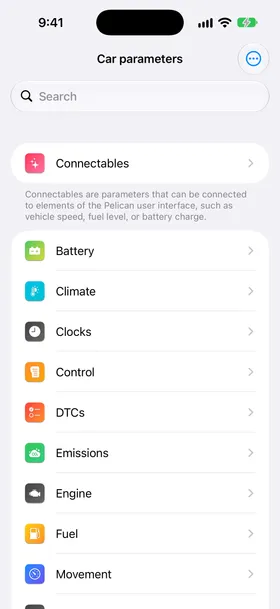
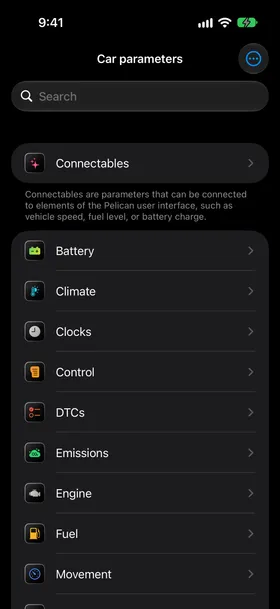
- In Settings, under Connected scanner, tap Car parameters.
- Tap the three-dot menu, then tap Open in GitHub.
- On GitHub, check that the repository matches your make and model.
- Select Fork.
- Select your account as the owner, then select Create fork.
GitHub opens your copy of the repository.
If Pelican opens a make repository, such as Toyota, find your model’s repository in the OBDb before you fork it.
Add a parameter definition
The PID Detector can help you find parameter IDs (PIDs) that your car answers. A reply alone doesn’t tell you how to turn its bytes into a reading; the definition must describe that conversion.
To add a definition in your fork:
- Open
signalsets/v3/default.json, or the file for your car’s model years if the repository has one. - Add the command and its signals, following the file format.
- Commit your changes to your fork’s default branch.
Your fork now contains the definition. Pelican reads the default branch when you select your fork.
Use your fork in Pelican
Pelican lists forks of your model’s repository by their owners’ GitHub names. These forks can contain changes that the OBDb maintainers haven’t reviewed.
To select your fork:
- In your car’s page, tap Parameters.
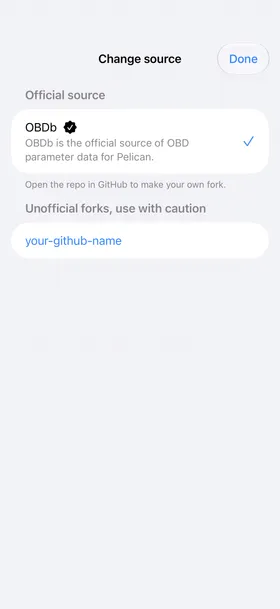
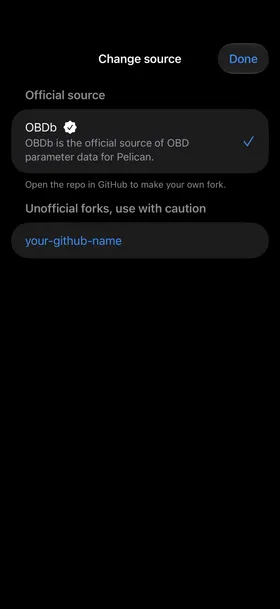
- Tap the three-dot menu, then tap Change source.
- Under Unofficial forks, use with caution, tap your GitHub name to select it.
- Tap Done.
Pelican reloads your car’s parameters from the selected source. If a recent fork is missing, pull down to refresh the Change source list.
Test your changes
Check the readings on your car before you submit the definition:
- In Parameters, find the parameter you added.
- Compare its reading with a known value, such as the corresponding reading on your car’s dashboard.
- Record your car’s model year, the scanner replies and the expected readings.
If you change the definition again, commit it to your fork’s default branch. Then fetch the latest parameters in Pelican and repeat the check.
Submit your changes
To share your tested definition:
- On GitHub, open a pull request from your fork to the original OBDb repository.
- Describe the change and include your car’s model year, scanner replies and test results.
- Select Create pull request.
The pull request appears in the OBDb repository for review. The maintainers may ask for changes or more test results. After they merge it, other drivers can download the definition in Pelican.
Return to the OBDb source
After your changes are merged, select the official source to receive future OBDb updates:
- In Car parameters, tap the three-dot menu, then tap Change source.
- Select OBDb, then tap Done.
Pelican reloads your car’s parameters from the OBDb. You can also return to this source at any time while you test a fork.